
Download tickets and export orders
From the Order Details page, you can download all tickets associated with the order.
From the Order Details page, you can download all tickets associated with the order.
If you need to download specific tickets or export the CSV of all orders, Billy makes it easy.
This section explains how to download the tickets contained in a single order.
🎟️ How to Download Tickets from an Order
- Go to Orders
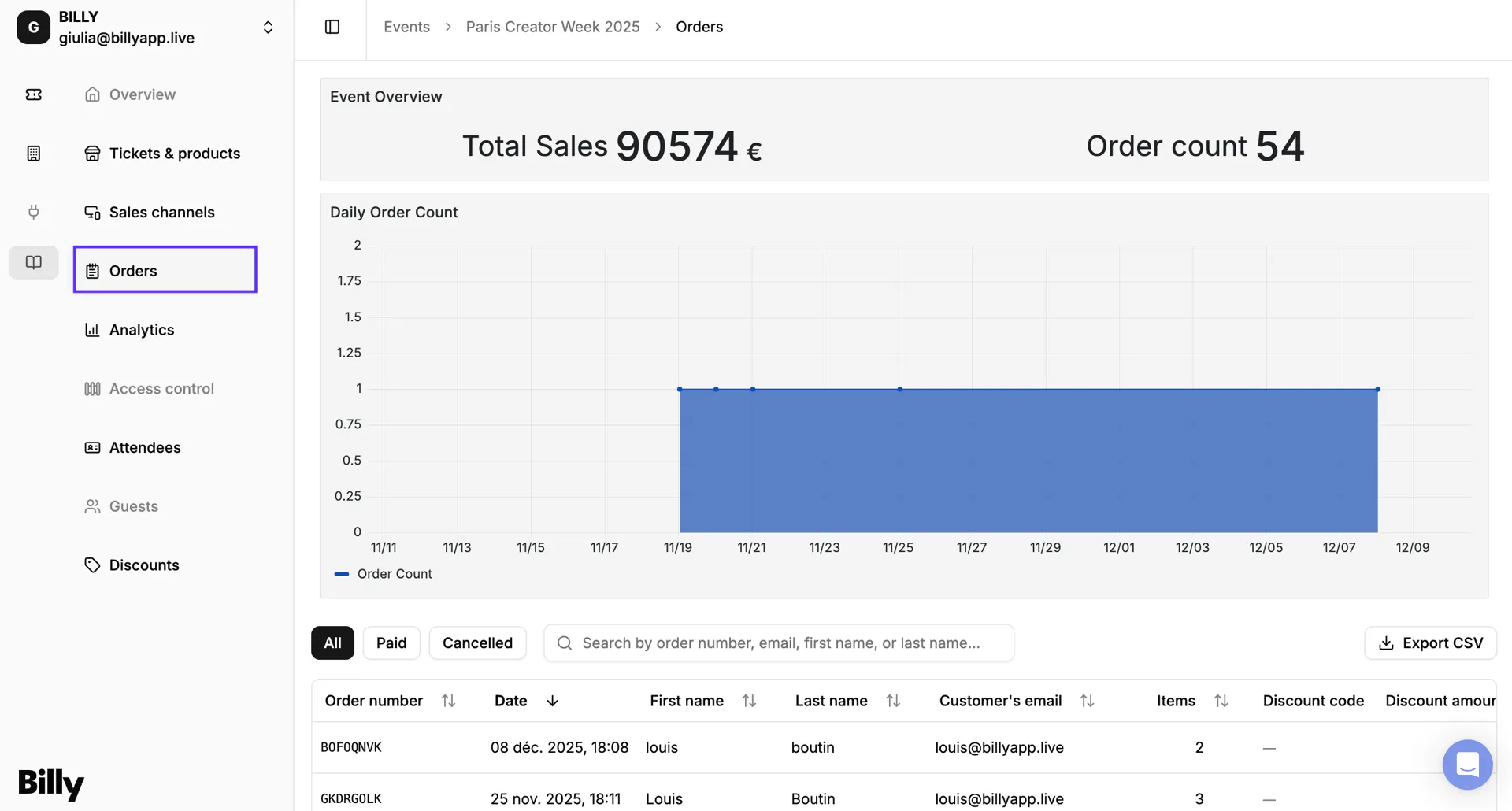

- Select the order for which you want to download the tickets.
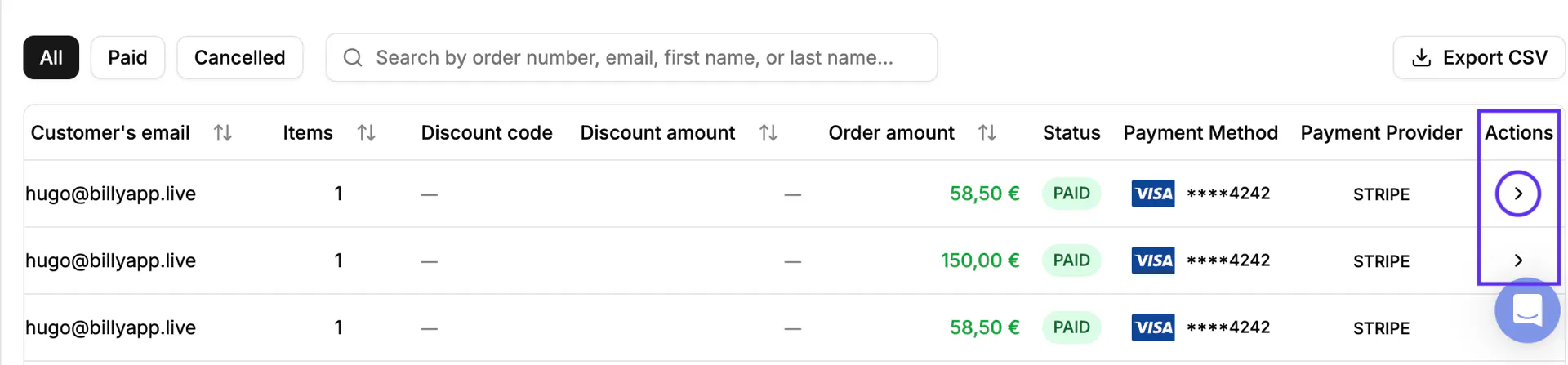
- Under Actions, click on the ">" icon to open the order details.

- The full Order Details page will appear.
- Click Download Tickets in the top right corner.
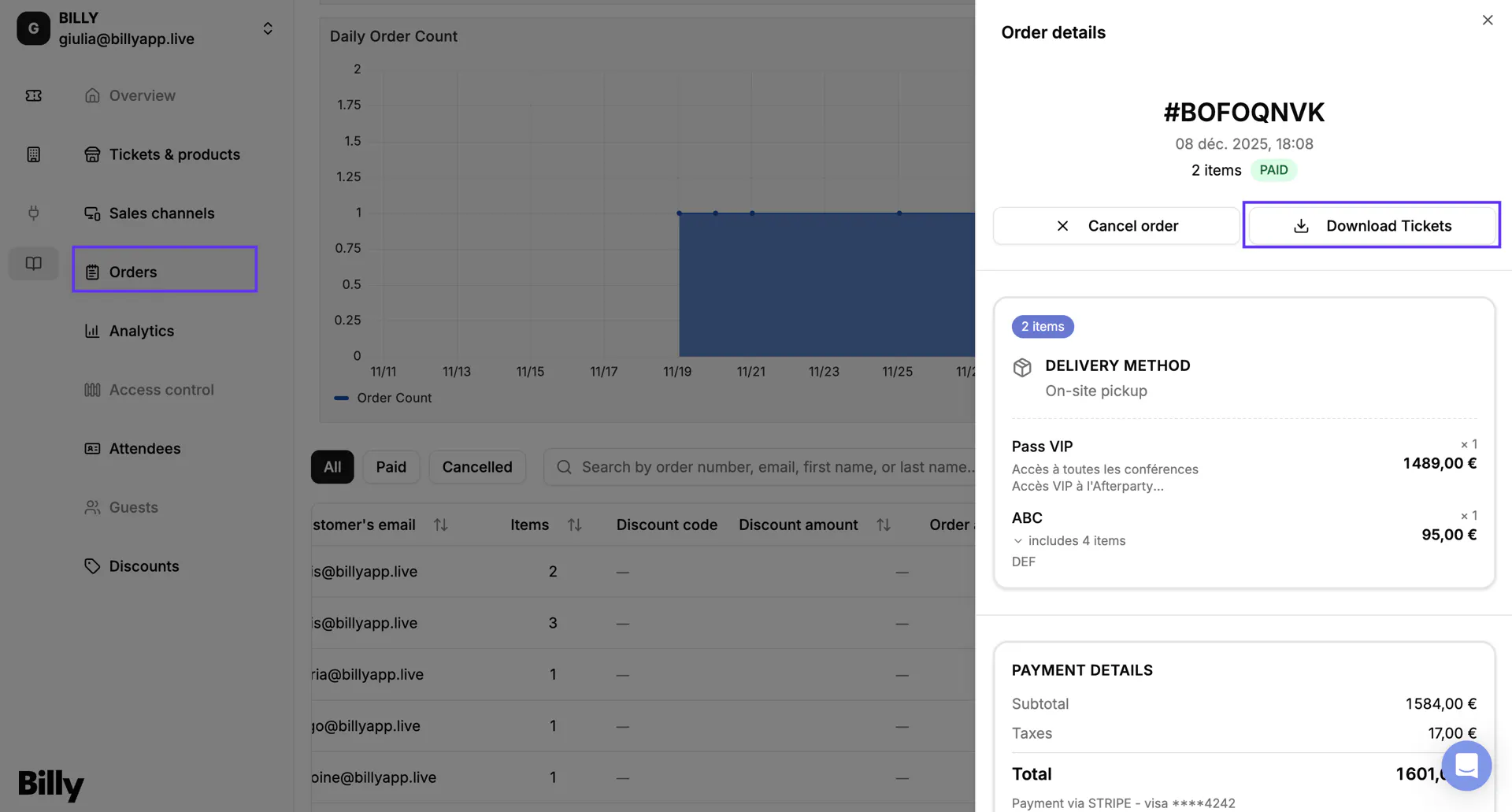

- Et voilà, your tickets will be downloaded.
This allows you to download the tickets purchased in that order.
📤 Second option, Export CSV
If you need to export all your event orders for accounting, reporting, or analysis, you can download them in a single CSV file.
The Export CSV button is located at the middle-right corner of the Orders page:
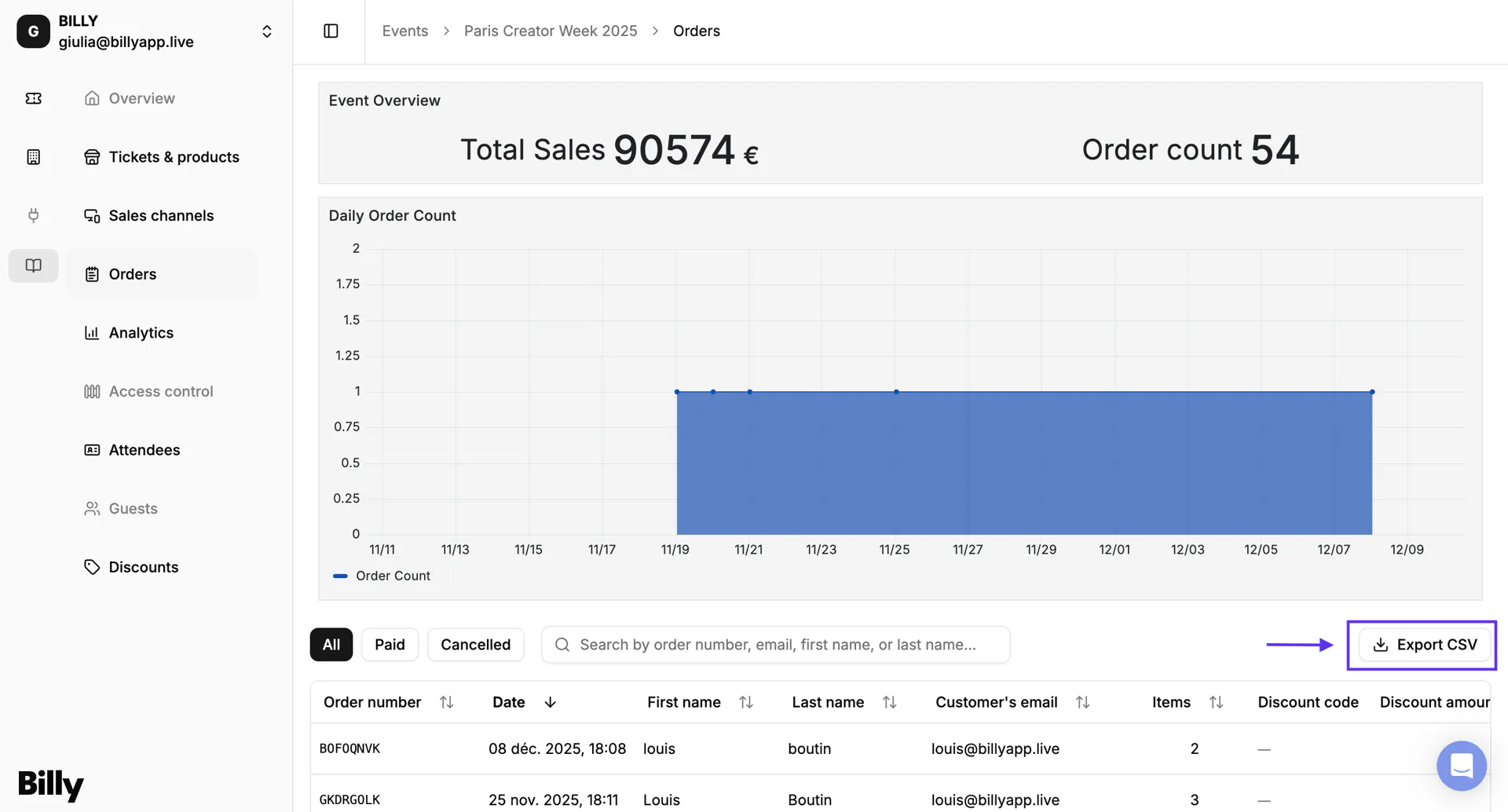

What the CSV contains
The exported file includes all the visible columns from your Orders table, such as:
- Order number
- Date
- Buyer name
- Buyer email
- Number of items
- Discount code
- Discount amount
- Order amount
- Status
- Payment method
- Payment provider
This gives you a complete dataset you can use in:
- Excel or Google Sheets
- Accounting tools
- Partner reporting
- CRM and audience analysis
When to use it
Export CSV is especially useful when you need to:
- share sales results with partners or venues
- perform custom financial analysis
- reconcile transactions with bank payouts
- import order data into external systems
🎉 With these tools, you can easily access the tickets and order information you need to support your customers and keep your operations running smoothly.